Plan the Hotel Year on One Page
Occupancy, ADR, department costs, GOP. The hotel budget generator turns your assumptions into a clean operating plan that owners can approve and managers can run.
How to Create a Hotel Budget Online
Set the Assumptions
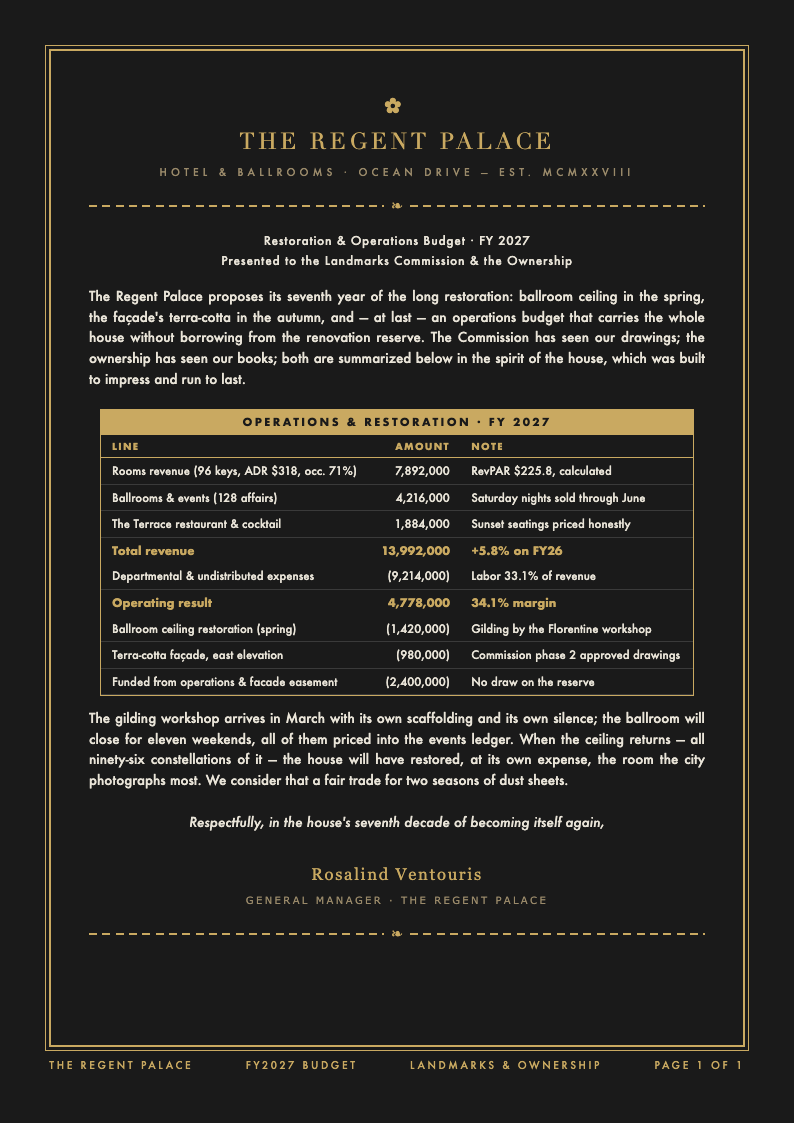
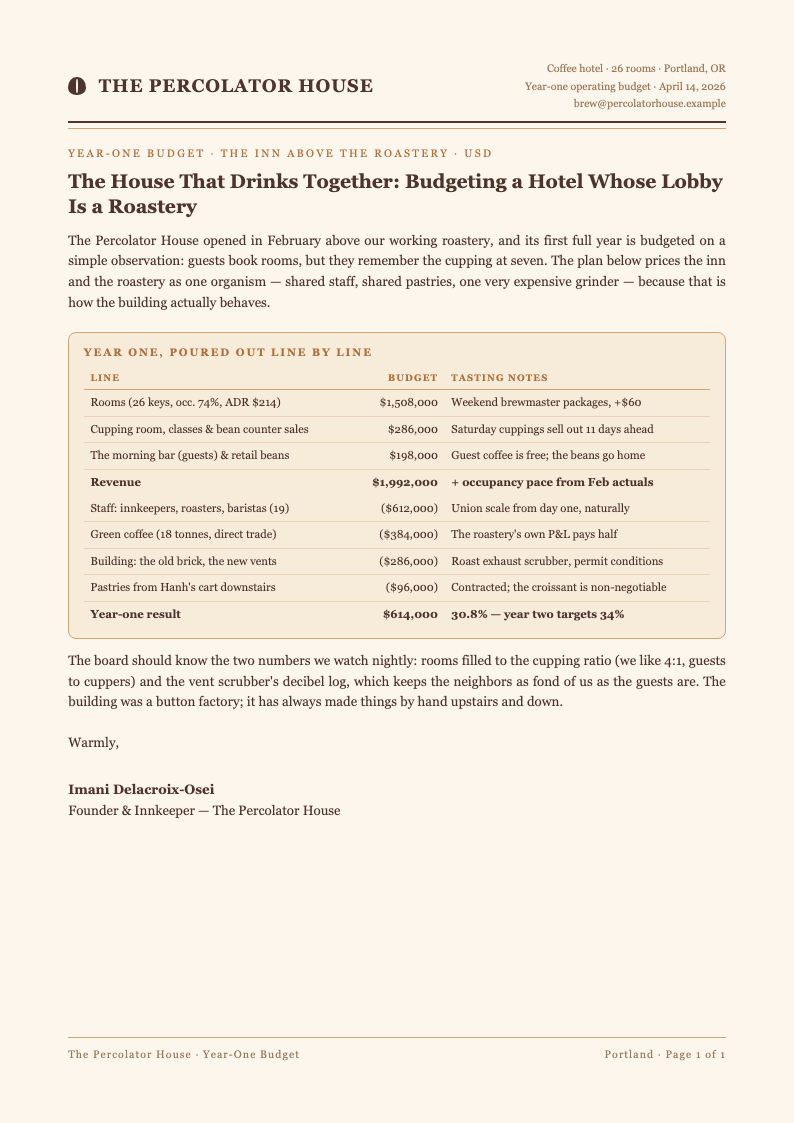
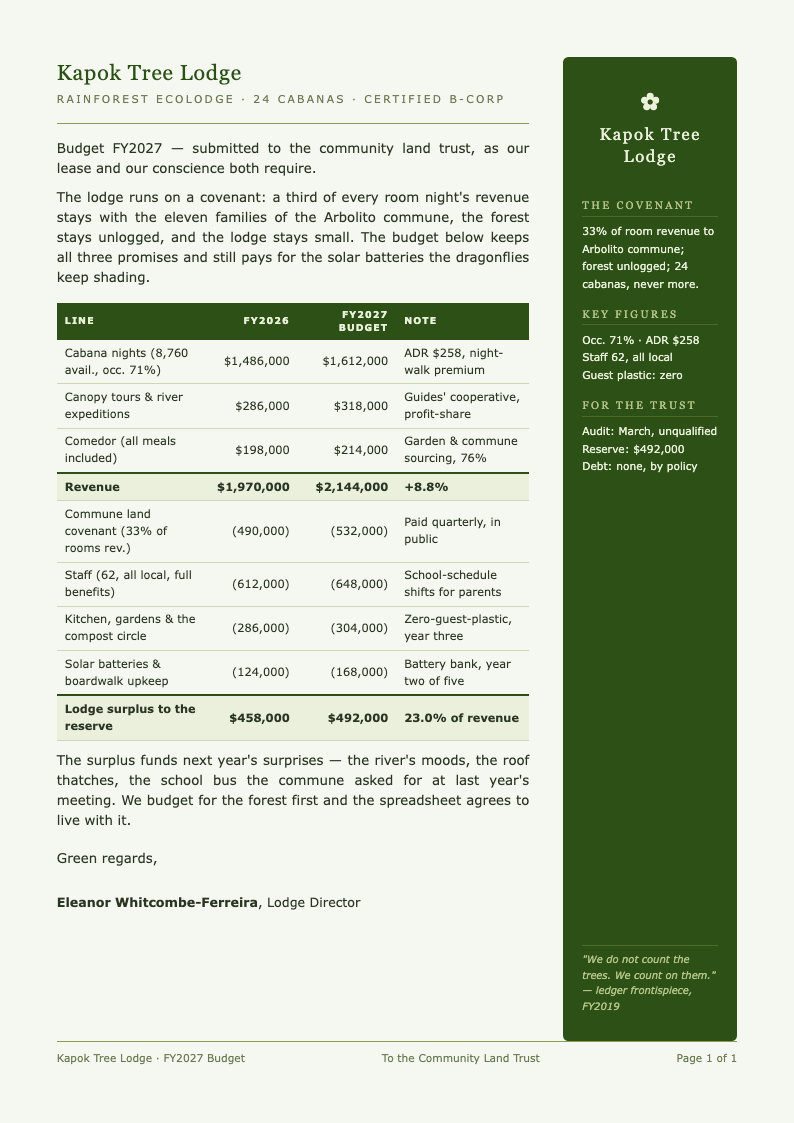
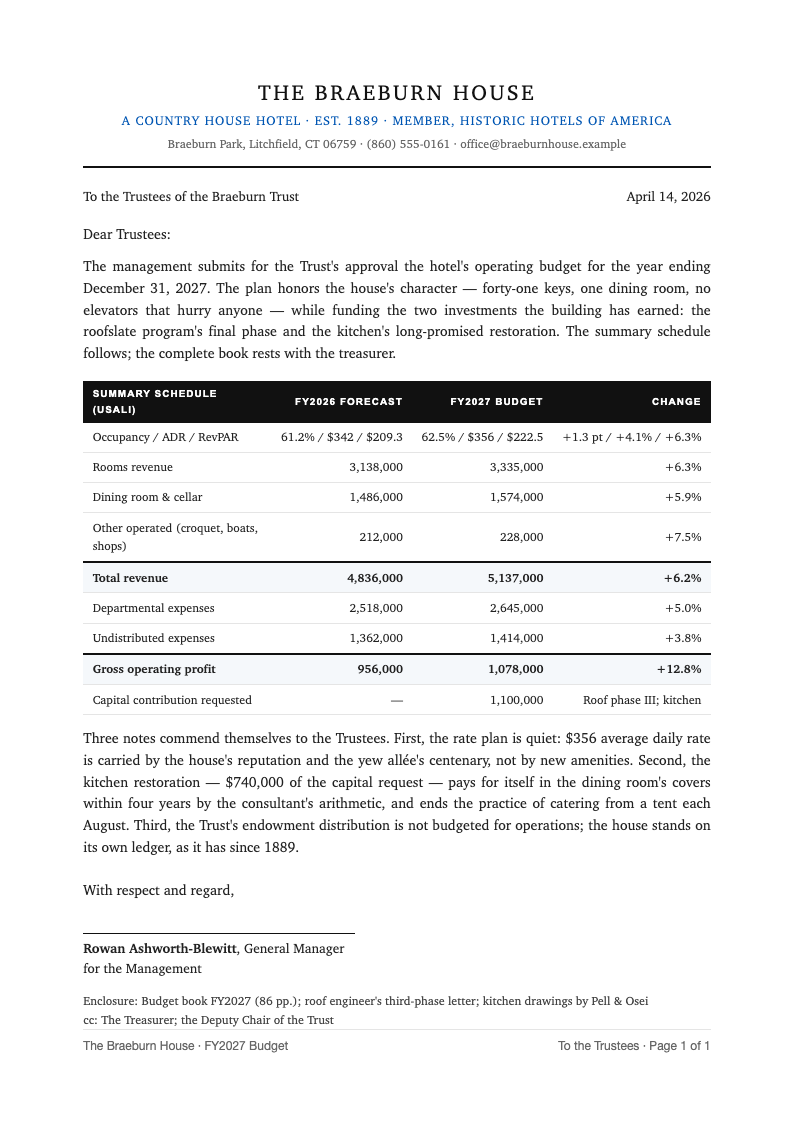
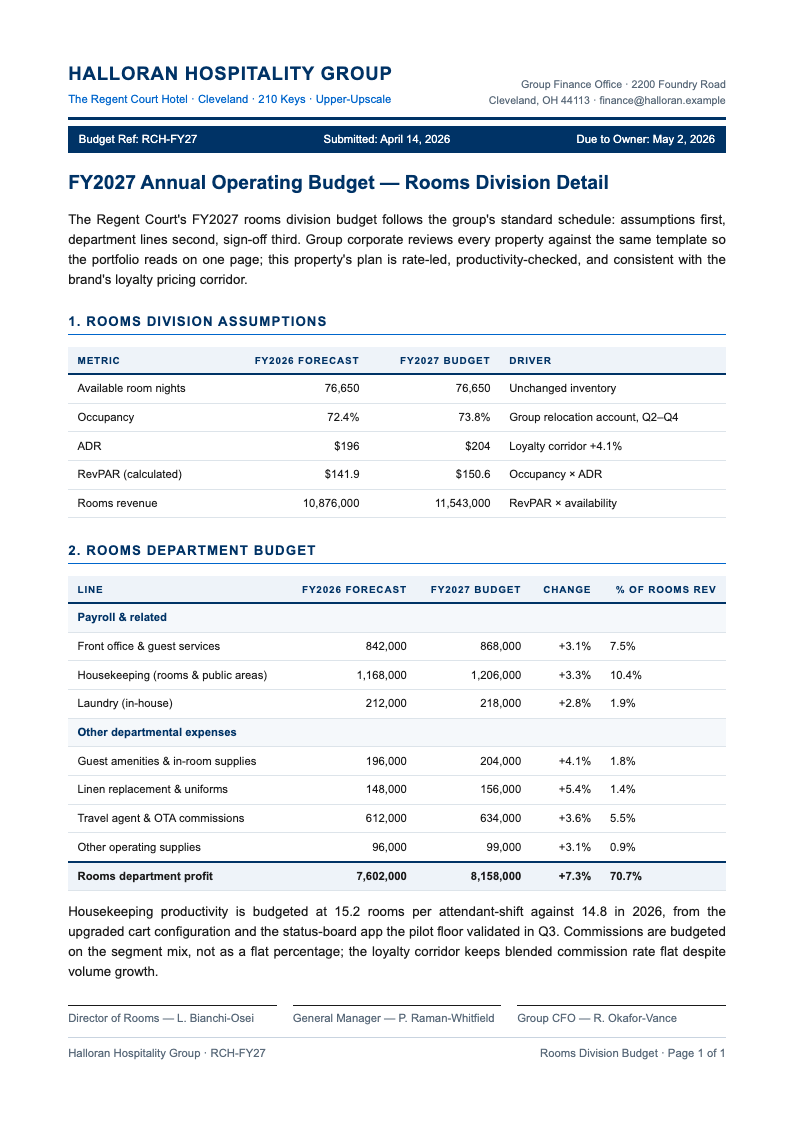
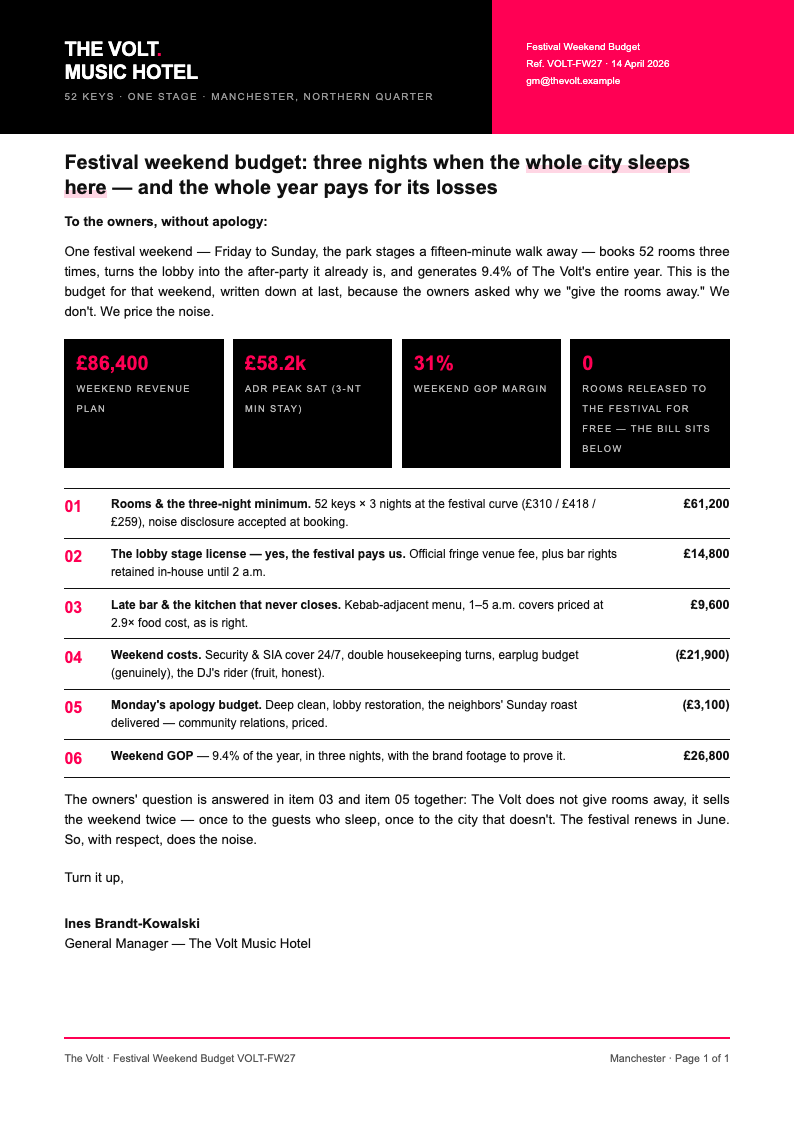
Start in the hotel budget generator with available room nights, expected occupancy, and average daily rate. RevPAR is calculated automatically from those three inputs, which keeps the plan internally consistent and stops the most common budgeting error before it starts.
Build the Departments
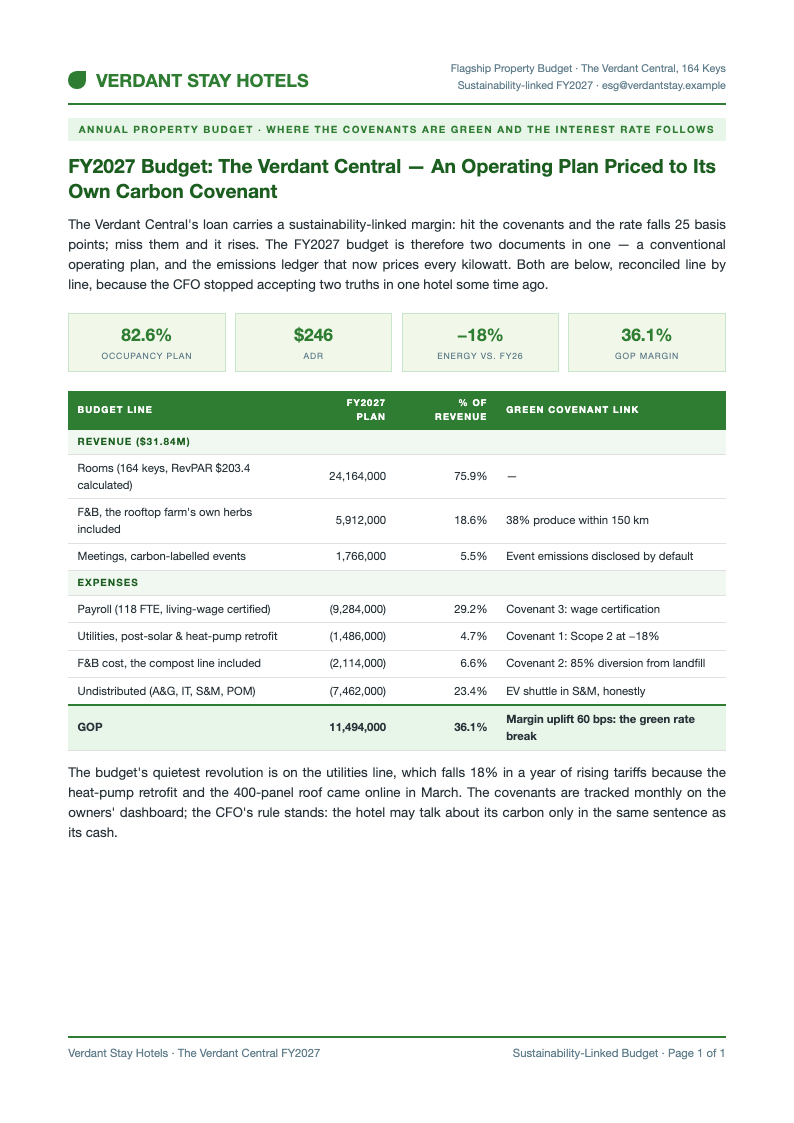
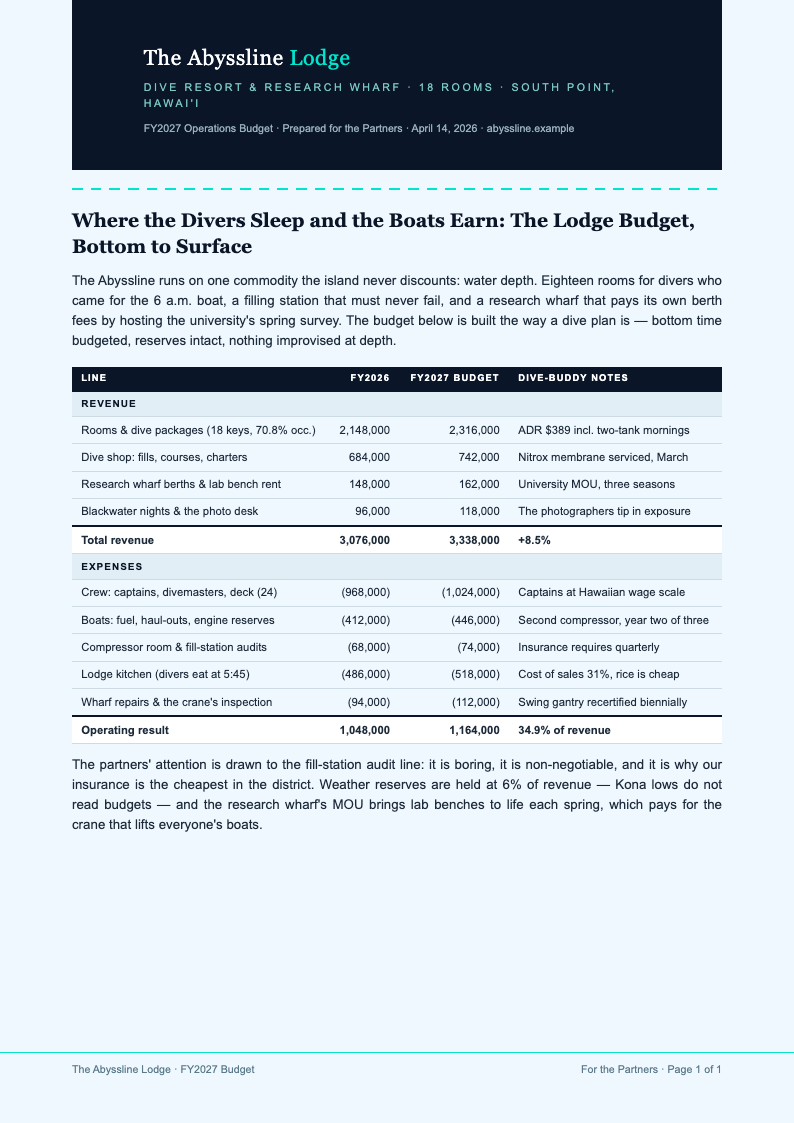
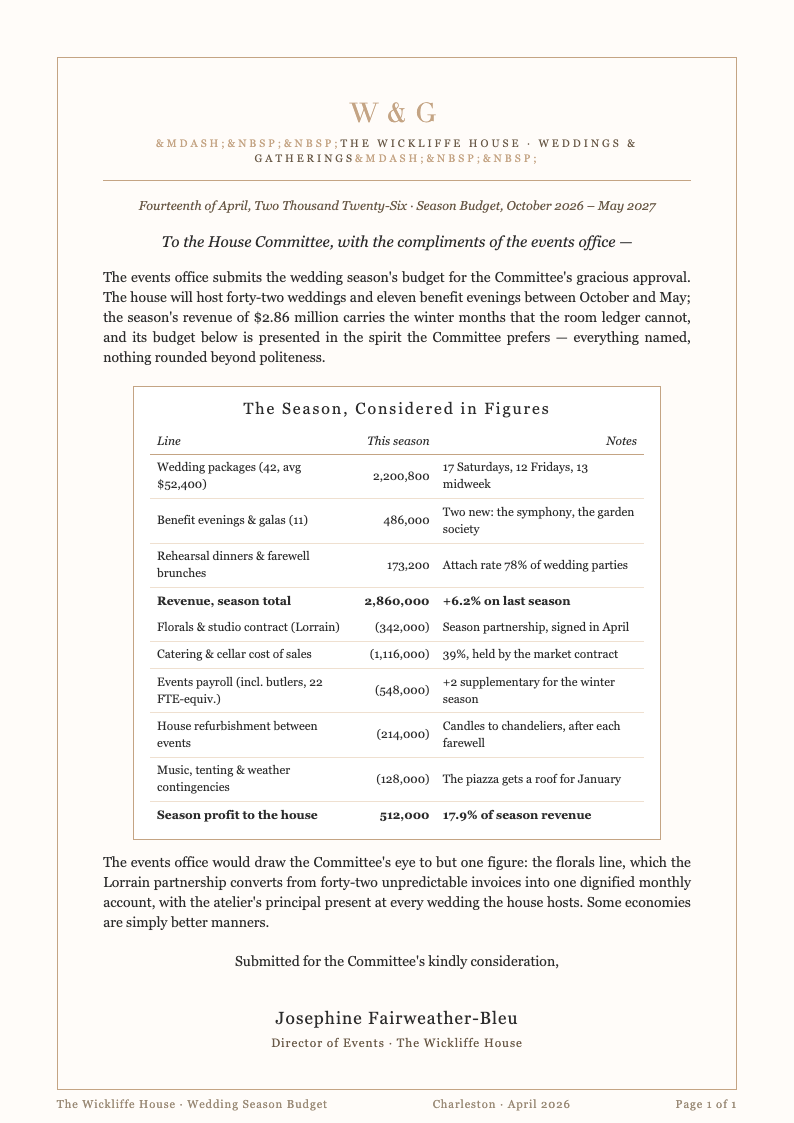
Work down the department schedules: rooms, food and beverage, other operated departments, then undistributed costs such as admin, IT, sales, maintenance, and utilities. Each line shows its share of revenue as you type, so overspending is visible immediately.
Check the Margin Story
Review the GOP bridge the tool produces and ask the hard question: which line changed since last year, and can the operation actually deliver it? Adjust payroll or marketing until the plan holds up in a committee meeting.
Export and Monitor
Download the hotel budget generator's PDF summary for owners and a working file for the team. Then compare actuals to plan monthly, so the first variance conversation happens in week five instead of at year-end when memories have faded.
Start From Last Year
Upload last year's numbers or type a few totals, and the hotel budget generator builds the assumption table first, with occupancy, ADR, and RevPAR calculated rather than guessed.
Professional Templates
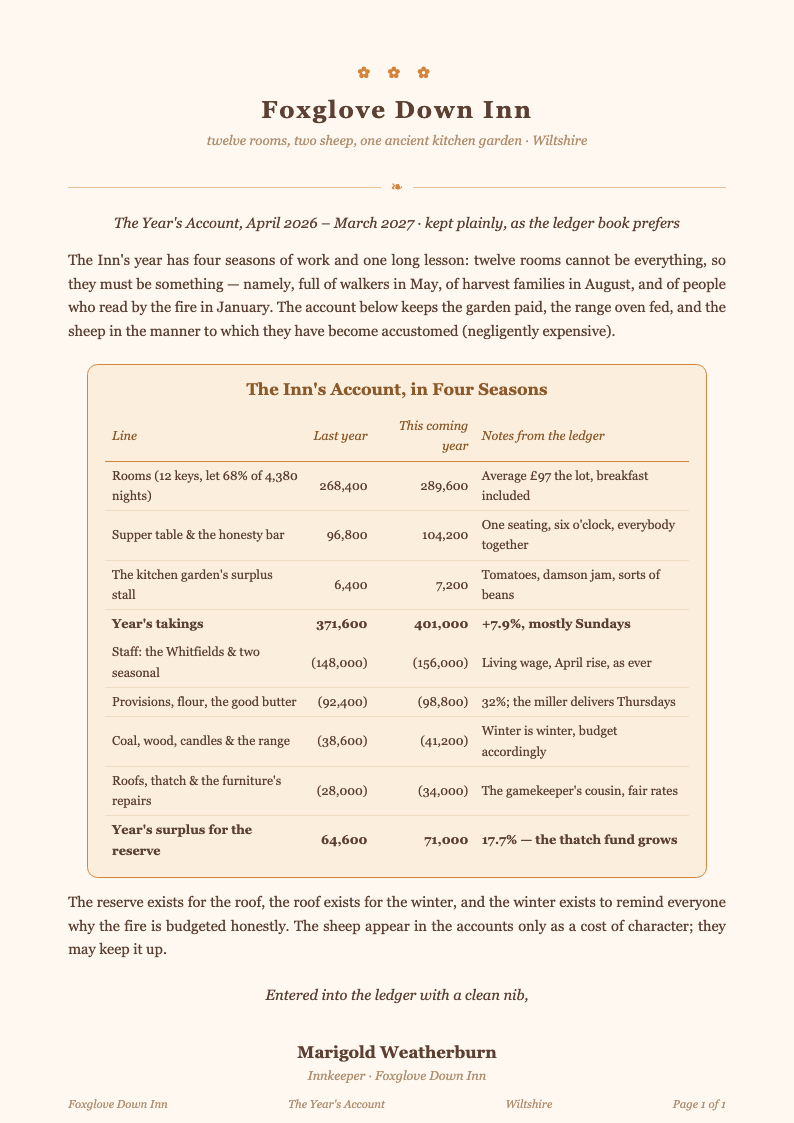
Choose full-year, season-split, or department layouts in the hotel budget generator, arranged in USALI order from rooms and F&B down through undistributed expenses to GOP.
Edit Online
Change an assumption and watch the plan respond: the hotel budget generator recalculates revenue, expense ratios, and margins as you edit, so the story stays consistent.
Download & Share
Export the finished plan from the hotel budget generator as a PDF for the owner or a spreadsheet for the finance team, with every schedule numbered and reconciled to the summary.
Explore Professional Hotel Budget Templates
Browse the full collection of hotel budget templates for full-year plans, season splits, and department schedules, all in standard lodging format.
Frequently Asked Questions
Quick answers about using the hotel budget generator.
- Is the hotel budget generator free?
- Yes. The hotel budget generator is free for unlimited plans, with no account and no watermarks. Build a budget for one property or a small portfolio, edit as often as assumptions change, and download every version at no cost. Every template, schedule, and export format stays available whether you plan one property a year or refresh a whole portfolio every season. There are no limits of any kind.
- What is a hotel budget?
- A hotel budget is the property's financial plan for a year: revenue assumptions, department expenses, and the resulting profit. The hotel budget generator follows the lodging industry's standard structure, so owners, managers, and lenders all read the same story. Each schedule builds on the assumptions you set at the top, which keeps the whole plan consistent from rooms revenue to the final GOP line. Nobody has to translate anything.
- What is RevPAR and how is it used?
- RevPAR is revenue per available room: occupancy multiplied by average daily rate. The hotel budget generator always calculates it from those two inputs rather than letting you type it independently, which prevents the internal contradictions that unravel budgets in month two. When you change occupancy or rate later, RevPAR and every downstream revenue line update together, so the story you presented is the story the plan tells. One number, always consistent.
- Does it follow the USALI format?
- Yes. The hotel budget generator runs schedules in Uniform System of Accounts order throughout: rooms, food and beverage, other operated departments, then undistributed expenses for admin, IT, sales and marketing, maintenance, and utilities, arriving at gross operating profit exactly where readers expect it. Because the numbering matches the standard, your asset manager or lender can open the plan and navigate it without a single orientation question. That familiarity builds instant trust.
- Can I budget by season?
- You can. The hotel budget generator supports season-split plans, useful for resorts with a heavy summer or ski properties that earn their year in five months. Each season carries its own occupancy and rate assumptions, then rolls into the annual summary, so the seasonal detail never clutters the year view while still remaining visible for the managers who need to plan staffing around it. Two seasons, one coherent plan.
- How does it handle payroll?
- Enter department headcount and wage assumptions, and the hotel budget generator shows payroll as a percentage of revenue for each department. The ratio view makes it obvious when a staffing plan supports the occupancy story and when it quietly contradicts it. Fixed and variable payroll stay separated, so owners can see exactly how labor cost flexes when business rises or falls through the year. The ratio is always on the summary.
- Is my financial data private?
- Yes. Your figures stay in your browser while you work in the editor, and exports are generated on demand. The hotel budget generator archives nothing after the tab closes, so rate strategies and owner numbers remain confidential. That matters most for competitive markets, where a leaked rate plan or payroll assumption could quietly reshape a whole season of negotiating position with groups and corporates. Close the tab and it is gone.
- Can I compare budget to actual?
- You can build the comparison yourself by re-uploading actuals later and exporting a variance view, or keep the monthly discipline in your accounting system and use the hotel budget generator for the annual plan and its mid-year revisions. Either way, the line numbering matches the standard reports, so moving between the plan and the actuals never requires anyone to reconcile two different structures. Monthly variance meetings run faster.
- What file formats can I download?
- The hotel budget generator exports the plan as a PDF summary for committee packets or as a spreadsheet for the finance office. Both formats keep schedules numbered and reconciled, so the version the board approves matches the version the team runs on. File names follow a clear pattern of property, year, and revision, which keeps a portfolio of plans organized without manual filing discipline. Send either format with confidence.
- Does it work for small properties?
- Yes. A twelve-room inn and a 200-key resort use the same structure at different scales. The hotel budget generator right-sizes the detail, so a small property budgets the lines that matter without filling out schedules it does not need. Optional lines are marked clearly, which keeps a lean plan reading as deliberate rather than unfinished when the owner or lender opens the file. Small house, same credibility.
- Can I include capital expenses?
- You can add a capital schedule alongside the operating plan, kept separate from GOP as owners' agreements usually require. The hotel budget generator totals it on its own page so renovation spending never hides inside operations, and each project can carry its funding source, so the owner sees exactly which reserve pays for which improvement without asking for a separate reconciliation. CapEx stays visible all year.
- Do I need accounting training to use it?
- No. The hotel budget generator embeds the industry structure and explains each line in plain language, so a general manager can produce a defensible plan and the finance office can reconcile it without a single follow-up meeting. Guidance notes appear beside the schedules as you work, so the finished document teaches you the standard while you build it, not afterward. Your second budget will feel routine.
Build Your Hotel Budget Now
Set the assumptions once and let the builder carry them through every department schedule to a GOP line your owners will believe.
Free templates • AI-powered editing • No sign-up required